Replacement Window Visualizer: See New Windows on Your House
Free sign-up with email or Google. You get 1 free render; free renders are watermarked.
Upload a photo of the front of your house and try new windows in the same openings: double-hung or casement, with or without grilles, in black, white or bronze frames. Compare the look with your siding, trim and roof before you ask an installer for a quote. Below are two before and after examples, with what the AI got wrong in each.
Window trim ideasBefore and after examples
Example images are AI-generated: both the sample houses and their redesigns. Results change from render to render, so treat them as concepts, not exact product matches.
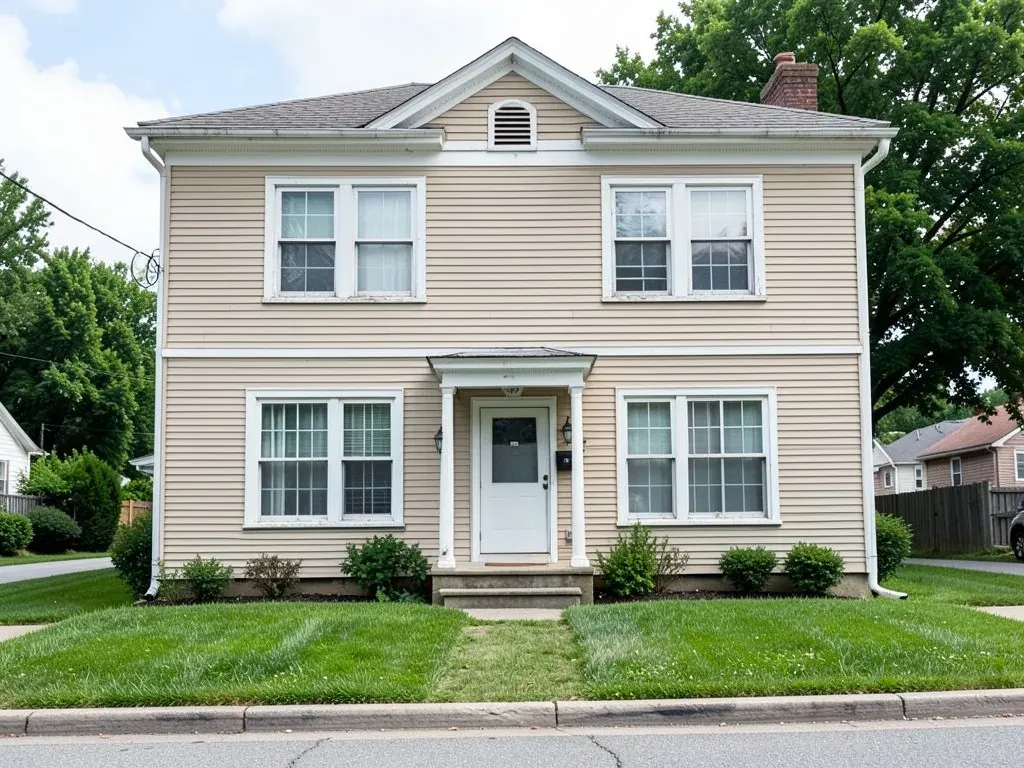 Before
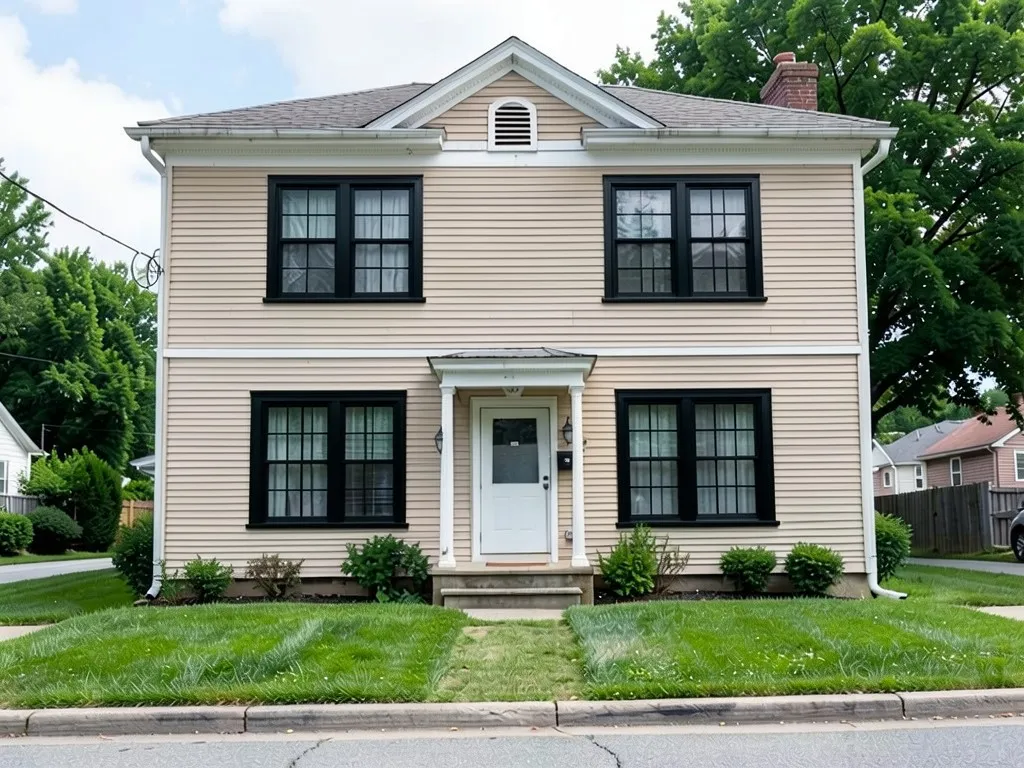 After
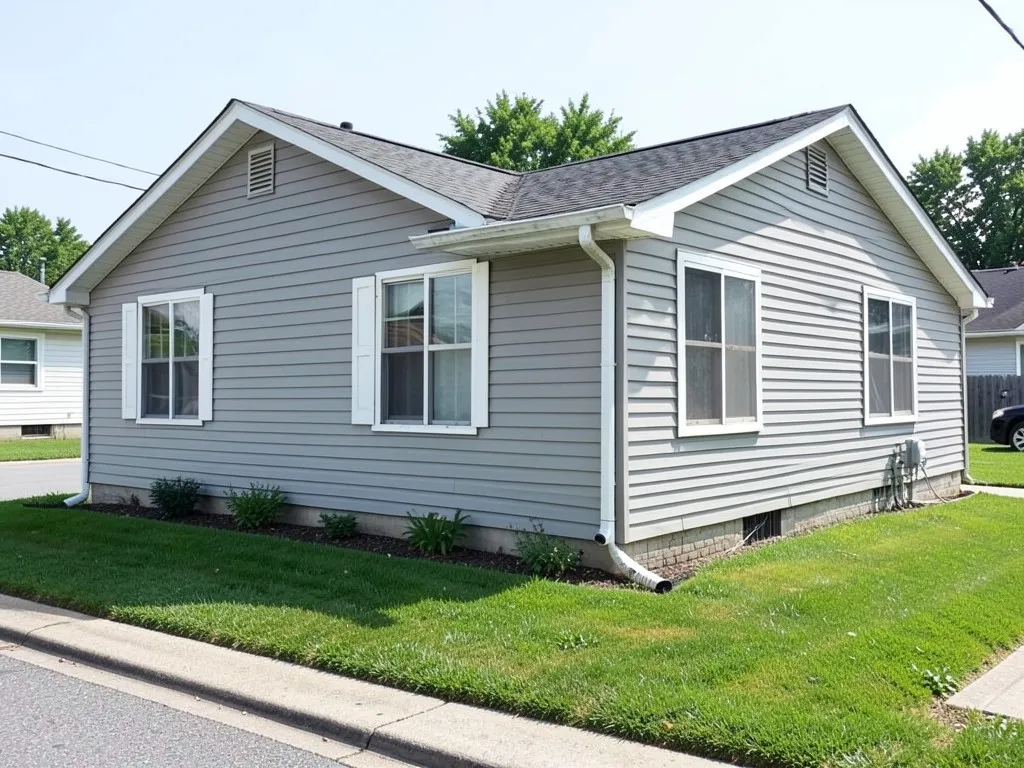 Before
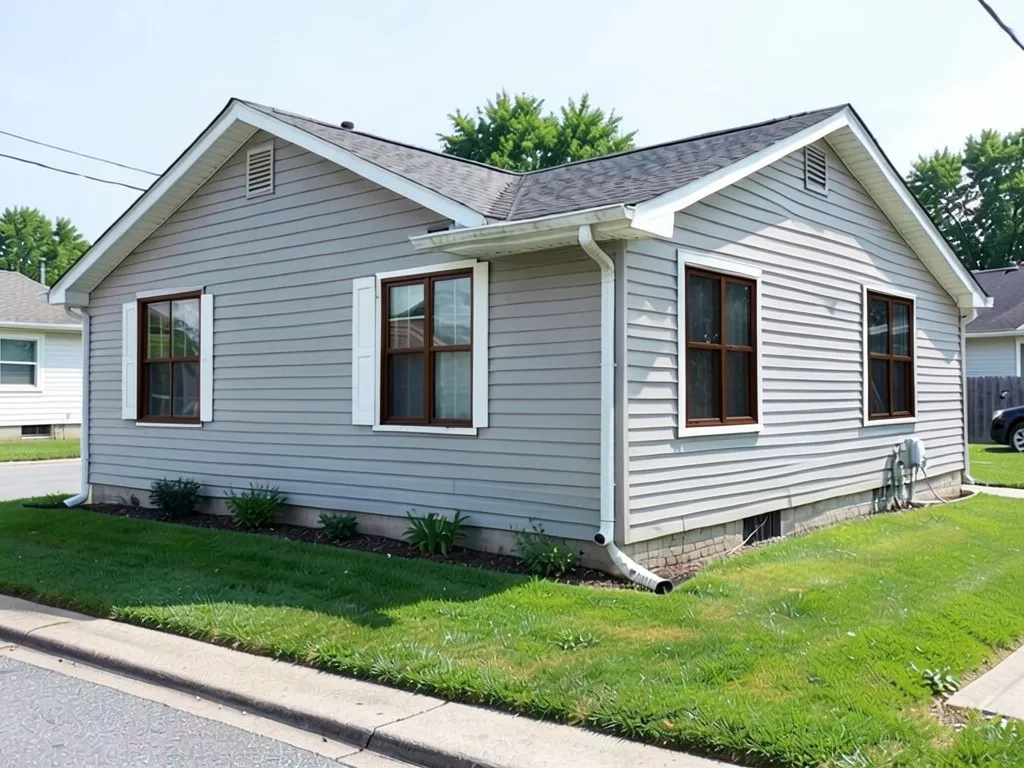 After
What the AI can and cannot do
It can redraw the windows on your photo with the type, the grille pattern and the frame color you describe, while you ask it to keep the siding, the trim, the door and the roof. That lets you compare a few looks on your own house.
It cannot measure your openings, match a maker's exact model, or give you a price or an energy rating. As both examples show, it may also change things you asked it to keep, such as the trim around a window. Treat each result as a direction, then ask an installer.
Window styles, grilles and frame colors to try
These are the words the window visualizers and guides we read use for each choice. Type them into the prompt as they are.
| Choice | Options to name | What to watch for |
|---|---|---|
| Window type | Double-hung, casement, picture, sliding, bay or bow | A bay or bow window sticks out from the wall, so a picture of one in a flat opening is only a rough idea. |
| Grille pattern | Traditional or colonial grid, Prairie, Top Row, Cross, Sunburst, Starburst, or no grilles (pattern names from Pella's grille guide) | Matching the grilles on every window keeps the front calm; mixing patterns can look busy. |
| Frame color | Black, white or bronze, the colors the visualizers we read offer most; some offer a different color inside and out | Say whether the trim around the window stays its old color, or the model may repaint it as well. |
| Trim and shutters | Keep, repaint or remove | New frames often look better with fresh trim; see our window trim ideas and shutter colors. |
Where this page sits among the window pages
This page is about the windows themselves: type, grilles and frame. For the trim around them, see exterior window trim ideas. For house colors that go with dark frames, see exterior colors with black windows and exterior house colors with white windows.
How to try it on your house
- Photograph the front in daylight, as straight on as you can, so that every window is in the frame and none is hidden behind a tree.
- Upload it in the tool at the top of this page and name the window type, the grille pattern and the frame color. Add "in the same openings and the same sizes", as our prompts do.
- Say what stays. List the siding, the trim color, the door and the roof. Name the trim color outright (for example "keep the white trim"), since the model tends to repaint it.
- Check the whole image, then run it again with a second frame color to compare.
The exact prompts behind the examples
These are the edit prompts, word for word. Change the window type, the grilles, the frame color and the list of what stays to suit your house.
Prompt 1: beige colonial, white windows to black double-hung windows with grilles
Replace only the windows with new black-framed double-hung windows with colonial grilles in the same openings and the same sizes. Keep the beige siding, the white trim, the front door, the roof, the lawn, the plants, the sky and the camera angle exactly the same
Prompt 2: gray ranch, white windows to dark bronze casement windows
Replace only the windows with new dark bronze-framed casement windows with no grilles in the same openings and the same sizes. Keep the light gray siding, the white trim, the front door, the roof, the lawn, the plants, the sky and the camera angle exactly the same
Before you order replacement windows
- Get the openings measured. An AI picture has no sizes. An installer measures each opening and tells you which styles fit.
- Ask about the inside too. Some makers offer a different frame color inside, so a black outside does not have to mean black frames in every room.
- Check your HOA or historic district. Some neighborhoods set rules for window grilles and frame colors.
Sources
We opened these pages and paraphrased them; none of their images are used. The style and pattern names are as shown there.
- Pella, window grids and grilles guide: https://www.pella.com/ideas/windows/window-grids-guide. Pella makes and sells windows.
- Renewal by Andersen, product visualizer post: https://www.renewalbyandersen.com/blogs/2014/02/new-product-visualizer-tool. Renewal by Andersen sells window replacement.
- Renoworks, window visualizer page: https://www.renoworks.com/?p=5018. Renoworks sells visualizer software to manufacturers.
- Window Nation, home improvement visualizer: https://windownation.com/home-improvement-visualizer. Window Nation sells window replacement.
Who this is for
Owners pricing replacement windows who want to see black, white or bronze frames, and grilles or no grilles, on their own house before they talk to an installer.
More exterior ideas
See window trim ideas, the front door visualizer, the garage door visualizer, shutter colors, the siding visualizer and curb appeal ideas.
Frequently asked questions
Can I see replacement windows on a photo of my house?
Yes. Upload a daytime photo of the front of your house in the tool on this page, describe the window type, the grille pattern and the frame color you want, and list what must stay the same. The result is a picture of the idea, not a measurement or a quote.
What window styles can I try?
The visualizers and guides we read use the same basic styles: double-hung, casement, picture, sliding, and bay or bow windows. You can name any of them in the prompt. A window that opens a different way may need a different frame size, so check with an installer.
What are grilles, and which patterns are there?
Grilles are the bars that divide the glass into smaller panes. Pella's grille guide names patterns such as Traditional (the even grid most people call colonial), Prairie (bars near the edges), Top Row, Cross, Sunburst and Starburst. Say "no grilles" for clear glass.
Do black window frames suit every house?
Not always. Black, white and bronze are the frame colors the window visualizers we read offer most often. Black frames stand out against light siding; on a dark house they can disappear. Try two or three frame colors on your own photo and compare them with the trim and the roof.
Will the window in the picture match a real product?
No. The AI draws a window from your words. It does not measure your openings, it does not know any maker's catalog, and it cannot tell you the price or energy rating. Use it to choose a look, then get a quote from a dealer or installer.
How is this different from a manufacturer's visualizer?
Manufacturer tools, such as the one Renewal by Andersen offers, show only that maker's windows, and some need a supported photo or a sales visit. This tool takes any photo of your house and any window you can describe, but it cannot give you a real product, size or price.
Is this tool free, and do I need an account?
Signing up is free and gives you 1 free render. Free renders carry an AiExterior watermark. You need to sign in with an email code or your Google account before a render starts. If you want more renders or clean images, paid plans are on the pricing page.
Try it on your own house
Try new windows on your photoFree sign-up with email or Google. You get 1 free render; free renders are watermarked.