Design Preview

Your interior design will appear here

Complete your selections and click Generate to create your design

AI interior design examples: before and after

Four rooms, each redesigned from one photo with one style. All eight pictures were made with our own AI model: the before photos are AI-drawn stand-ins for an ordinary room, not customer photos. The captions say what the AI changed and what it kept, so you know what to expect from your own room.
Living room in Scandinavian style

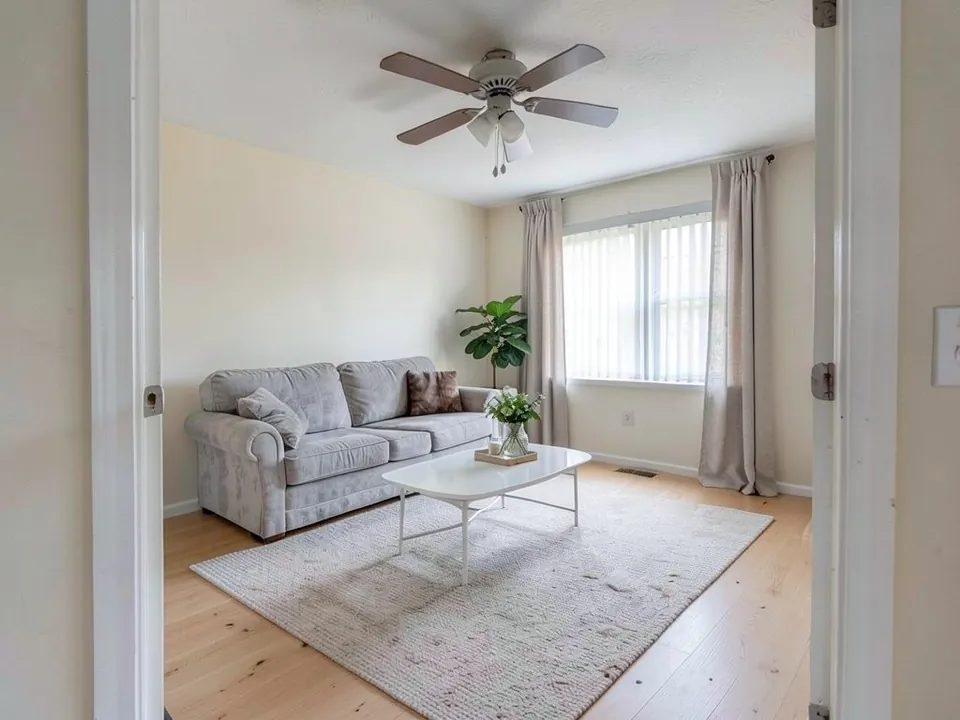
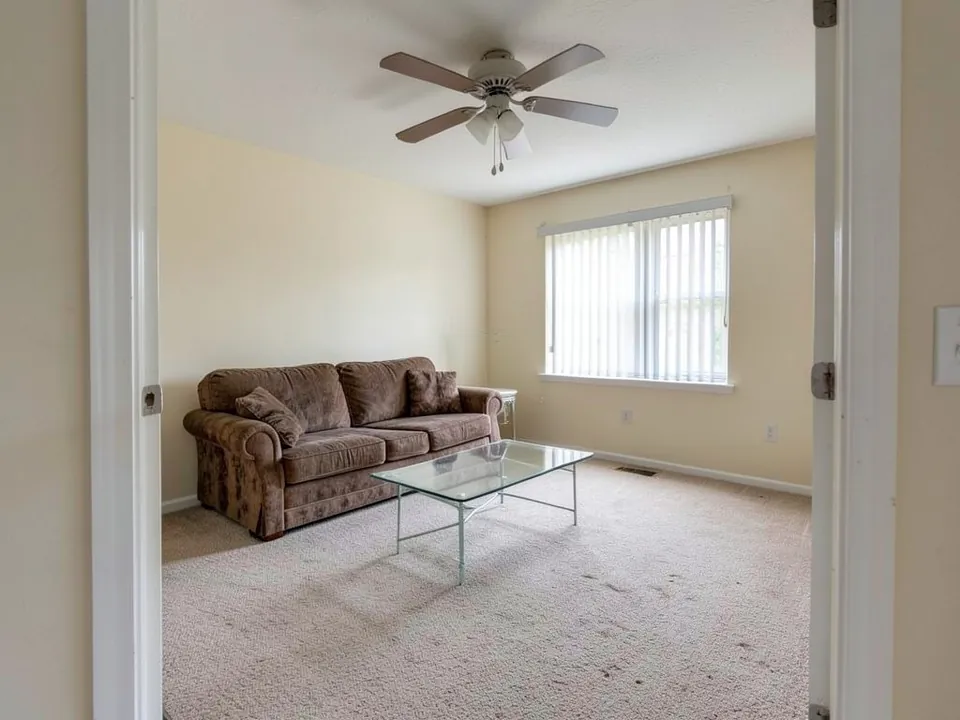
AI-generated example: a dated living room with beige carpet, a brown fabric sofa, a glass coffee table, cream walls, vertical blinds and a ceiling fan

Before

AI-redesigned version of the same living room: light wood floor, a light gray sofa, a white coffee table, a wool rug, linen curtains and green plants

After

We asked for a Scandinavian living room. The AI swapped the carpet for a light wood floor and added a wool rug, linen curtains, plants and a white coffee table. It kept the old rolled-arm sofa shape and only turned it gray, and it left the walls cream instead of white.

Bedroom in coastal style

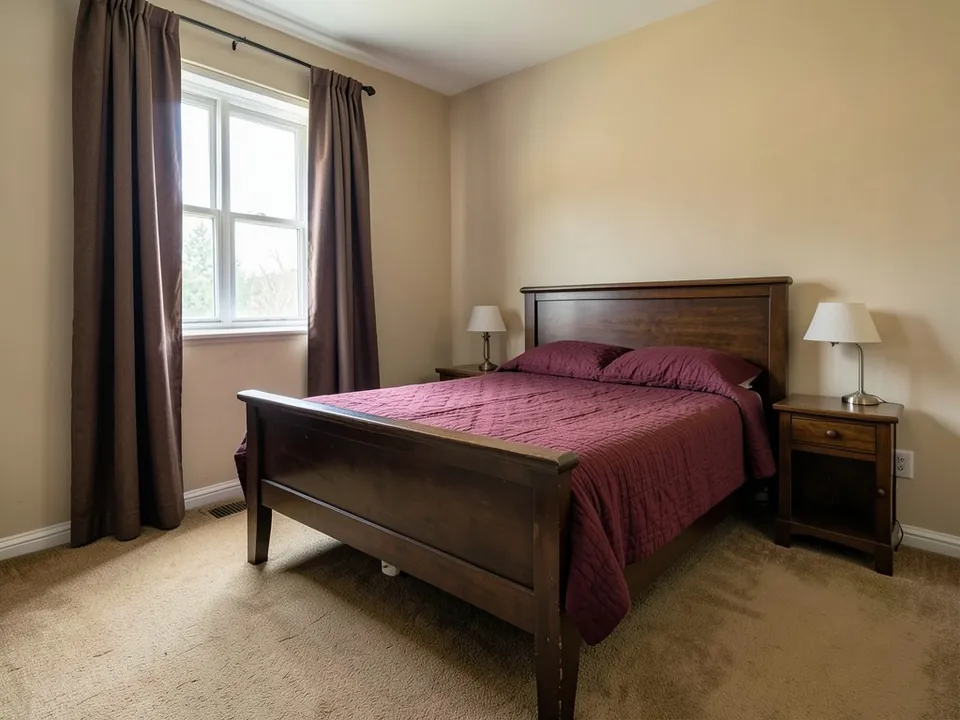
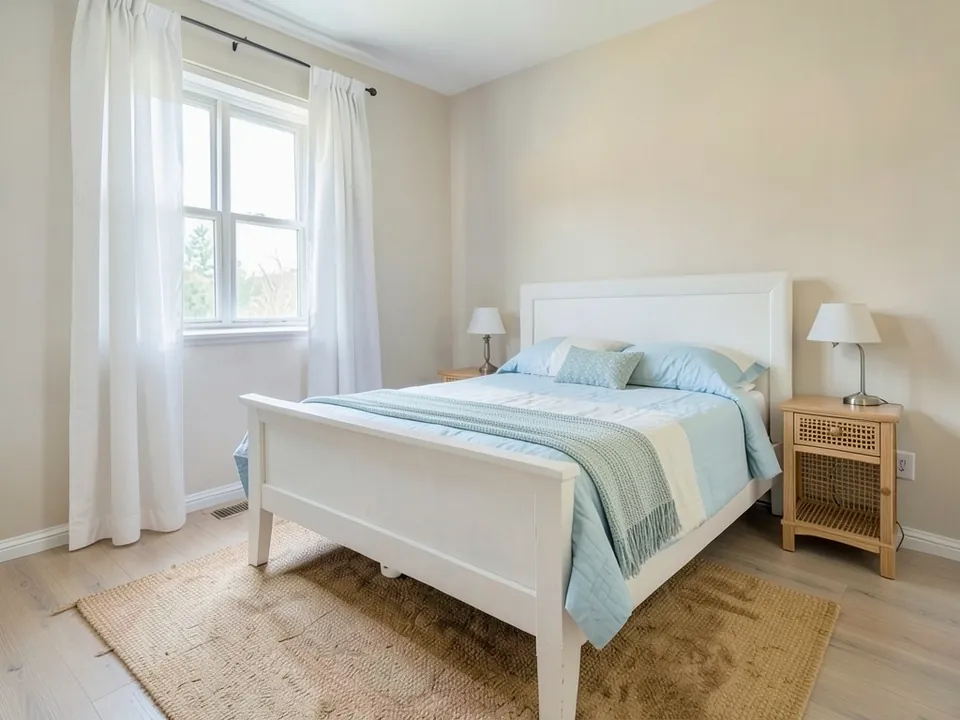
AI-generated example: a dated bedroom with a dark wooden bed, a burgundy quilt, tan carpet, beige walls and heavy brown curtains

Before

AI-redesigned version of the same bedroom: a white bed with light blue and white bedding, a rattan nightstand, a light wood floor, a jute rug and sheer white curtains

After

We asked for a coastal bedroom. The AI drew a white bed with blue and white bedding, a rattan nightstand, a light wood floor, a jute rug and sheer white curtains. The walls stayed beige, and the lamps and window are the same as before.

Kitchen in farmhouse style

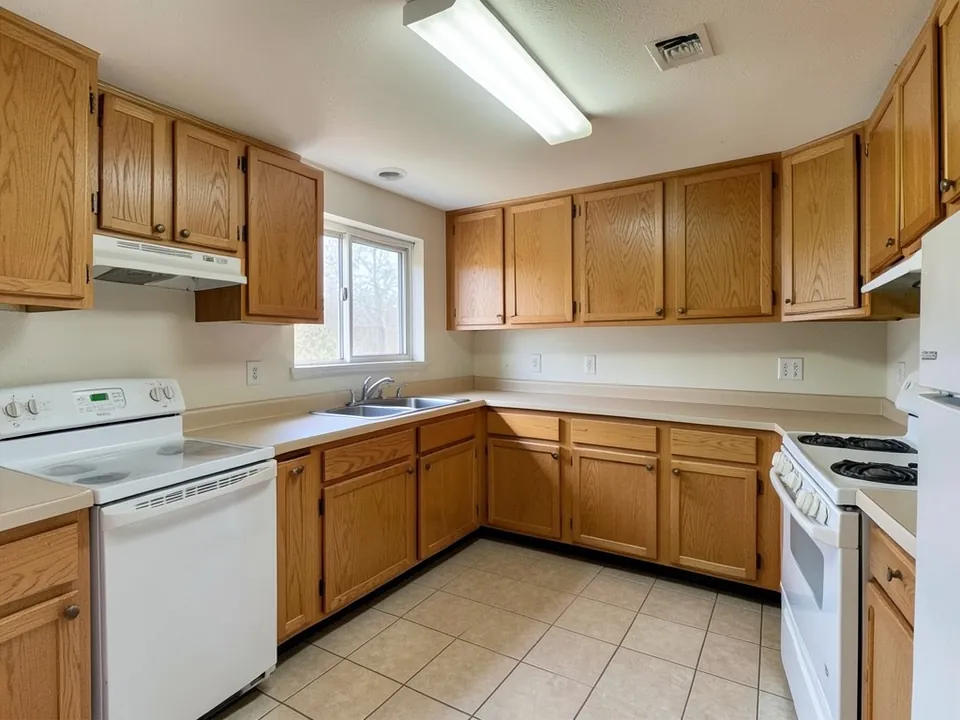
AI-generated example: a dated kitchen with honey oak cabinets, beige laminate counters, white appliances, a beige tile floor and a fluorescent ceiling light

Before

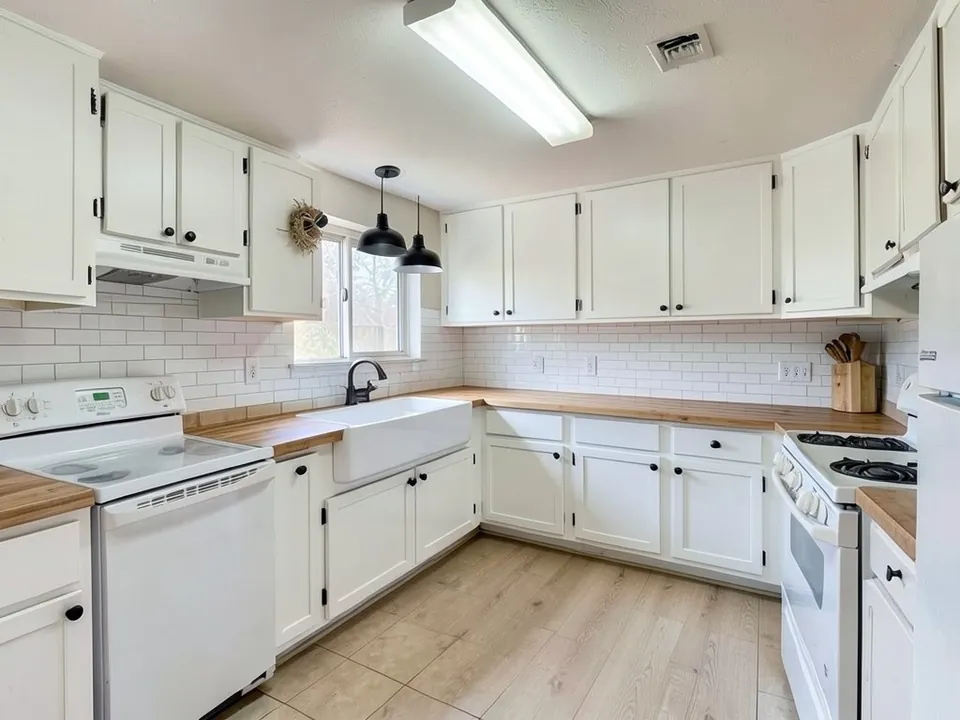
AI-redesigned version of the same kitchen: white shaker cabinets, butcher block counters, an apron-front sink, a white subway tile backsplash, black pendant lights and a light wood floor

After

We asked for a farmhouse kitchen. The AI painted the cabinets white with black handles and added butcher block counters, an apron-front sink, a subway tile backsplash, two black pendants and a wood floor, in the same layout. It kept the white appliances and the fluorescent light, and it hung a small wreath we did not ask for.

Home office in mid-century modern style

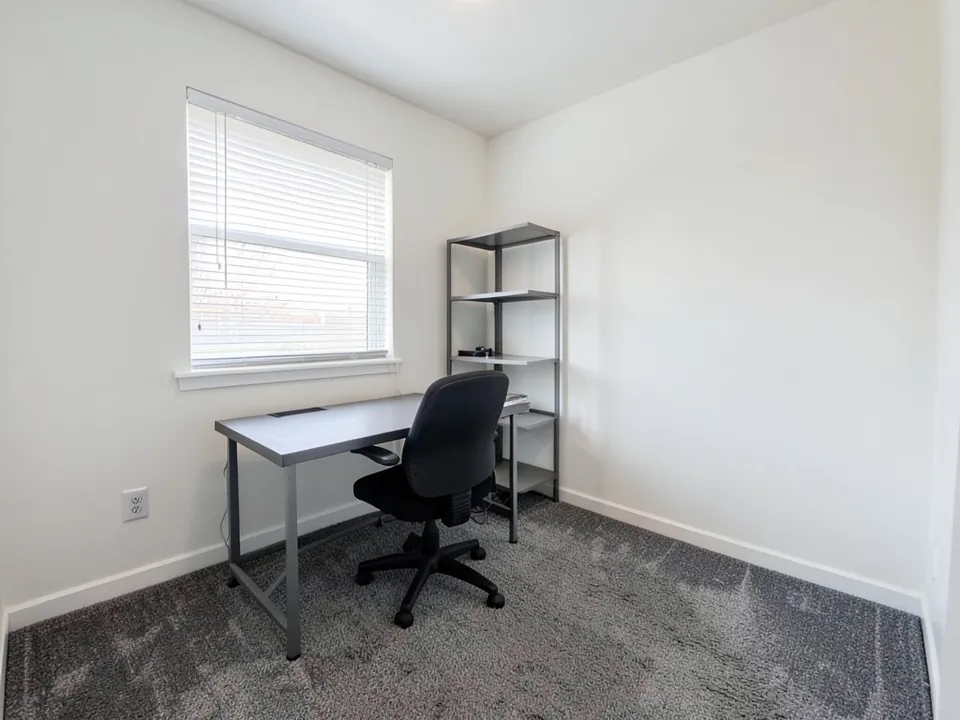
AI-generated example: a small spare room used as a home office with a gray metal desk, a black office chair, a metal shelf, white walls and gray carpet

Before

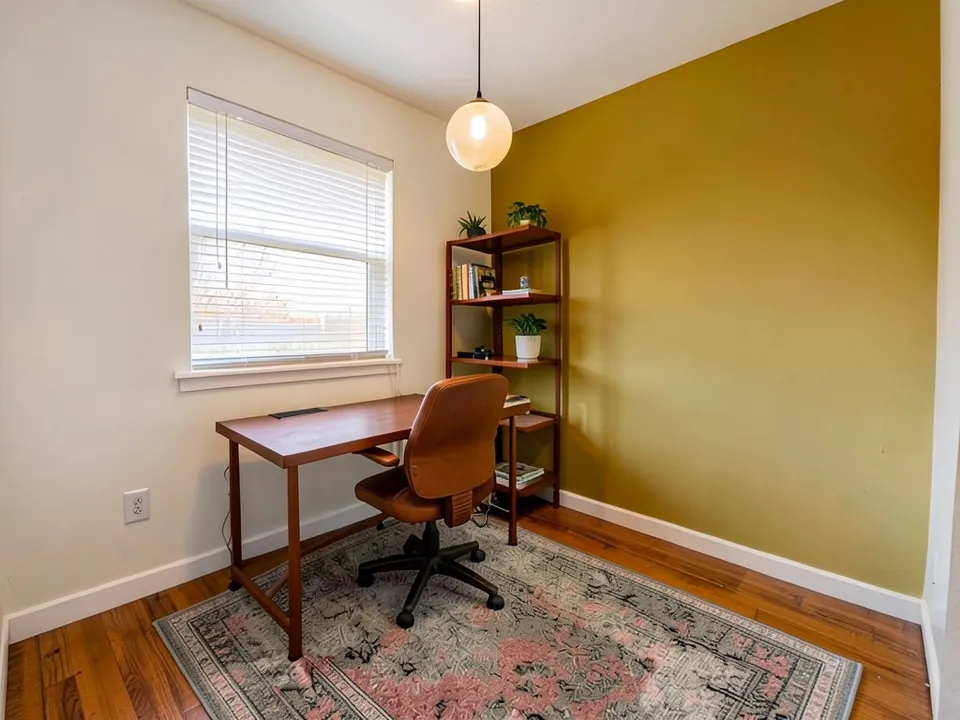
AI-redesigned version of the same office: a walnut desk, a cognac leather chair, a wooden bookshelf with books and plants, a mustard accent wall, a globe pendant lamp and a patterned rug on a wood floor

After

We asked for a mid-century modern office. The AI drew a walnut desk, a cognac leather chair, a wooden bookshelf with books and plants, a mustard accent wall, a globe pendant and a patterned rug on a wood floor. The window, blinds and room shape stayed the same.

The tool offers 26 room types and 21 styles. For the closest result, take the photo in daylight from a corner so most of the room is in view. Upload your room photo to try it.

Available Languages

Our platform supports a wide variety of languages. Choose your preferred language below to view the site in that language.

Overview

Transform your spaces with our AI-powered tools

Complete Space Transformation

Transform any room with AI-generated interior designs that consider layout, lighting, and functionality for optimal living spaces.

Style Customization

Choose from dozens of interior design styles and customize every aspect of your space, from color schemes to furniture selection.

Smart Space Optimization

Get AI-powered suggestions for optimal furniture placement, storage solutions, and traffic flow in your space.

How It Works

1

Upload Room Photo

Start by uploading a clear photo of your current room that you want to redesign.

2

Select Design Mode

Choose between Redesign, Remodel, or Enhance modes depending on how much you want to change.

3

Pick Room Type

Select the specific room type (bedroom, living room, kitchen, etc.) for optimized results.

4

Choose Design Style

Browse through our extensive library of interior design styles and select one that appeals to you.

5

Customize Details

Fine-tune your design with options for colors, materials, furniture, and decorative elements.

6

Generate Your Design

Our AI will transform your space according to your selections, creating a stunning new interior design.

Use Cases

Discover how our technology can help in various scenarios

Home Renovation Planning

Visualize different design options before committing to expensive renovation projects.

Interior Design Inspiration

Get design ideas tailored to your specific space when you're feeling stuck or unsure.

Pre-Sale Home Improvement

Identify design updates that could increase your home's value before selling.

Rental Property Enhancement

Create attractive living spaces that appeal to potential tenants while staying within budget.

Frequently Asked Questions

Yes, you can use our interior design tool for any room in your home. Simply upload different photos and select the appropriate room type for each.