Update Your House Exterior: See the New Look on Your Own Photo
Upload a photo of your house, pick a style, and AiExterior redraws the outside with fresh colors, siding, trim and details. Use it to decide what to change, and in what order, before you buy paint or call a contractor.
Free sign-up with email or Google. You get 2 free renders in most countries; free renders are watermarked.
Before and after examples
Example images are AI-generated: both the sample houses and their redesigns. Results change from render to render, so treat them as concepts, not exact product matches.
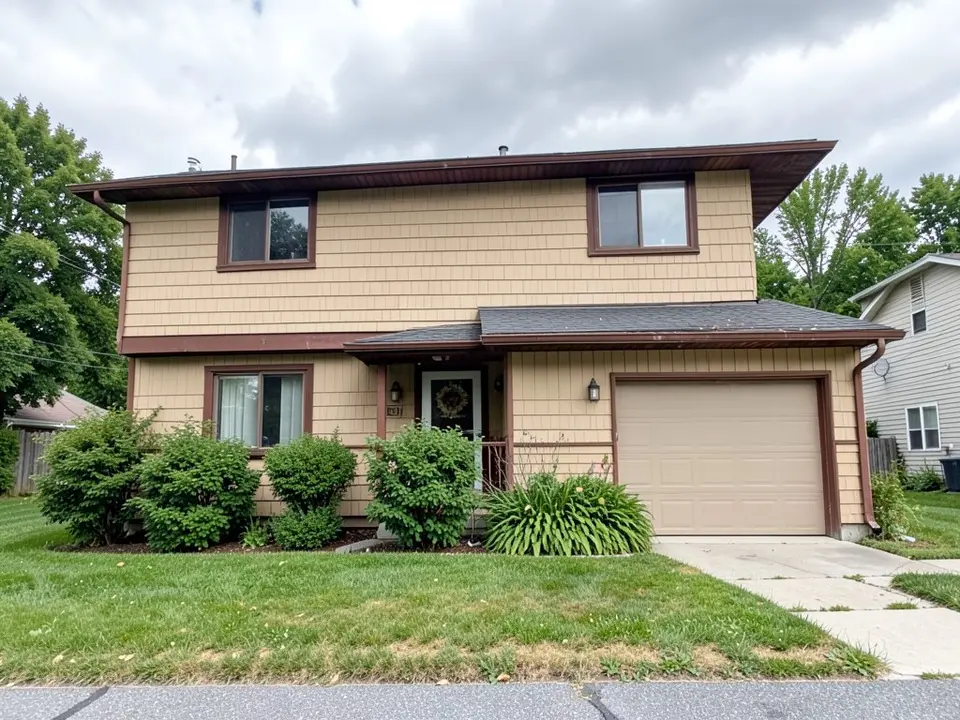 Before
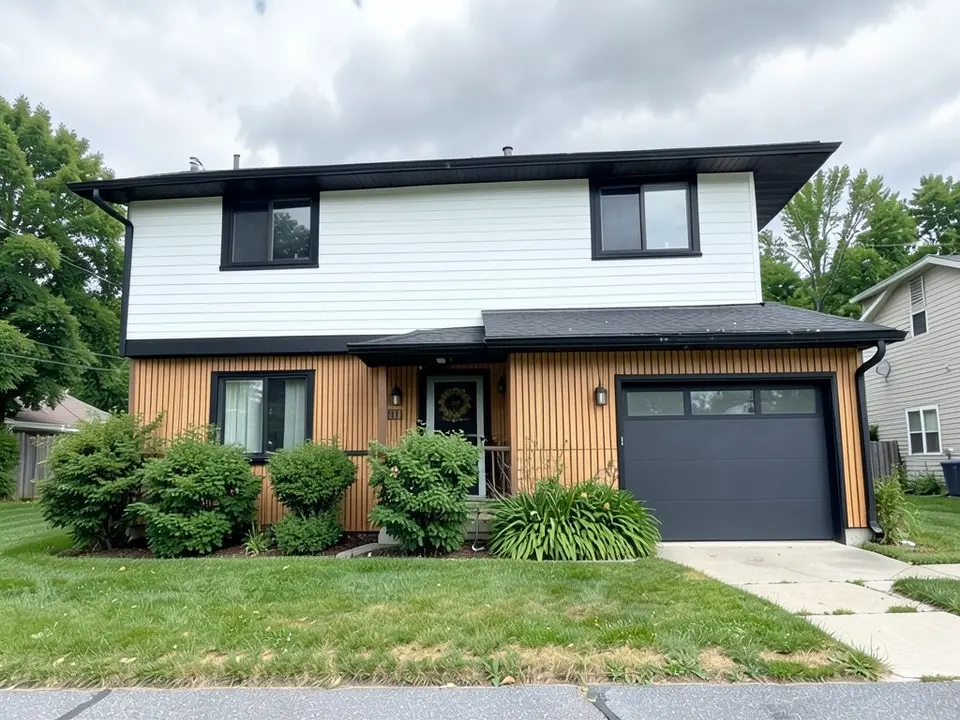 After
After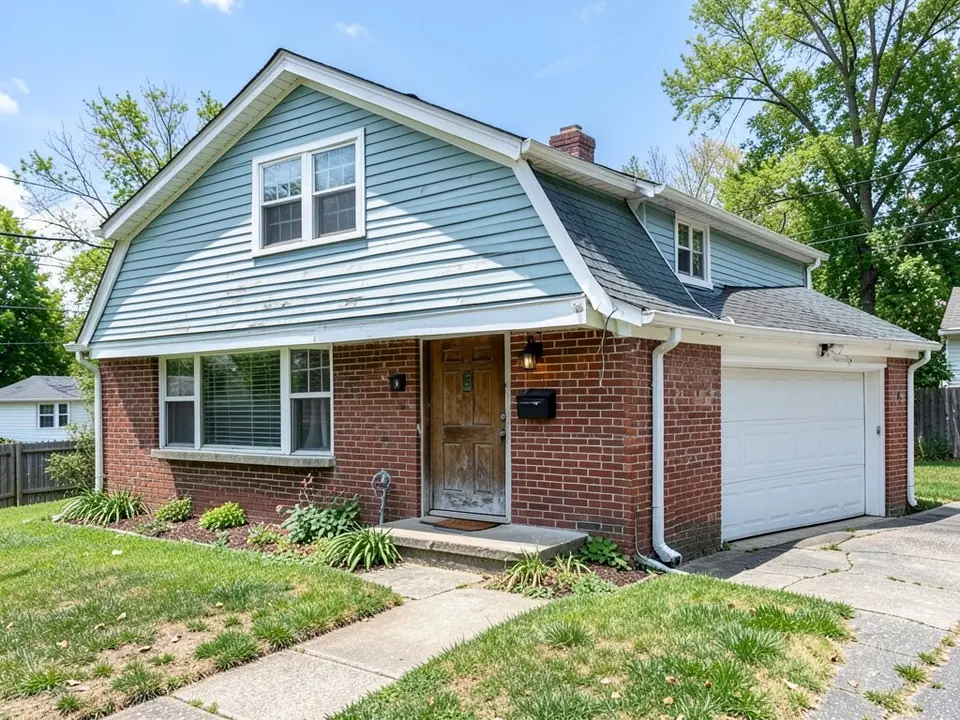 Before
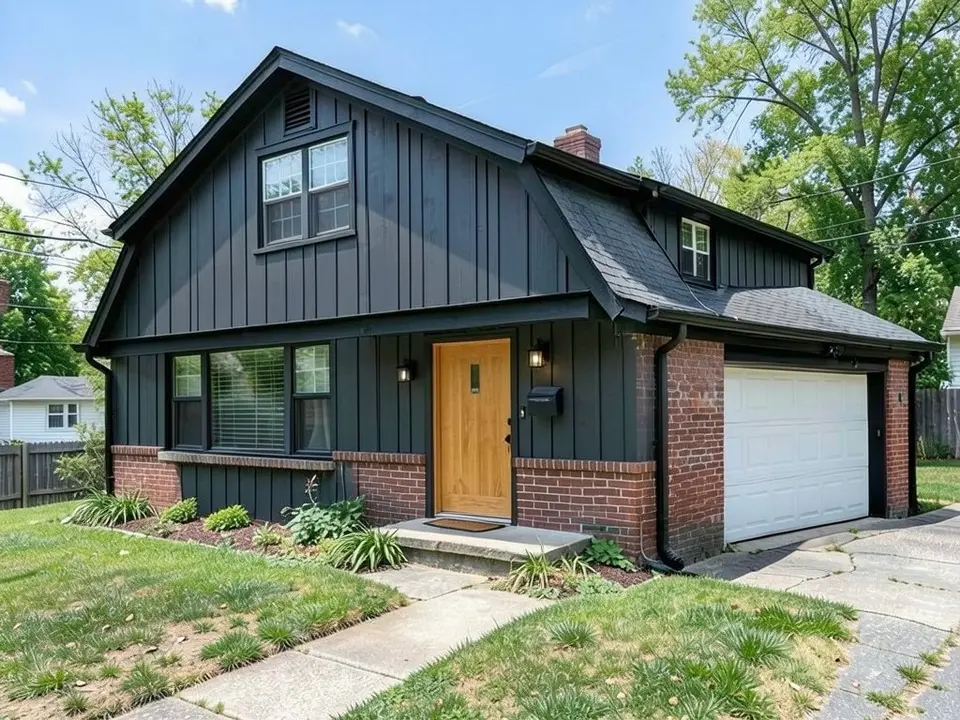 After
After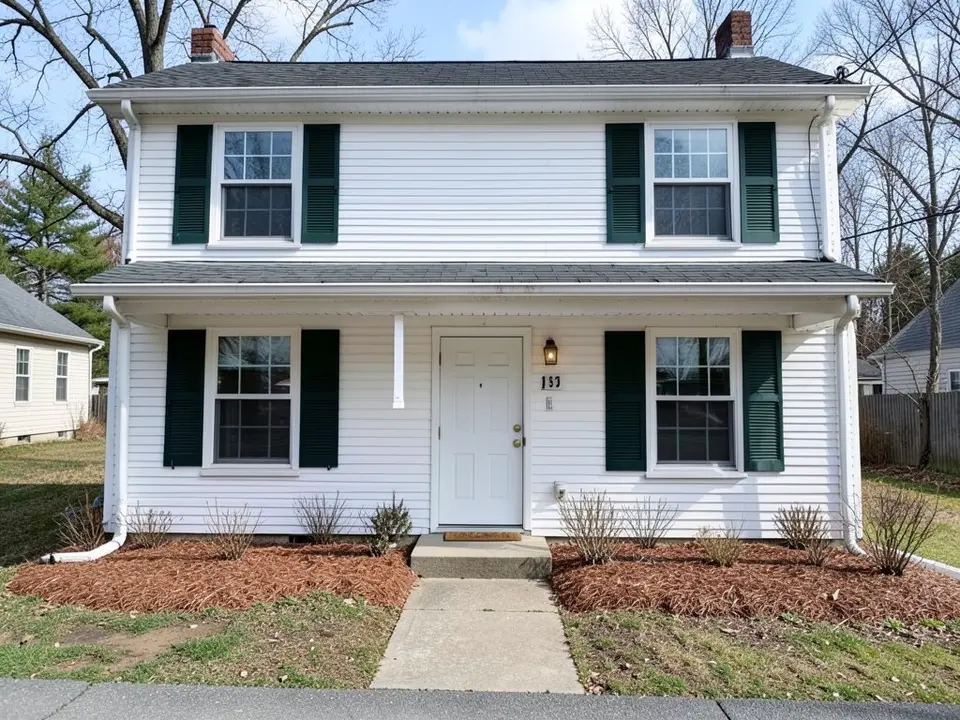 Before
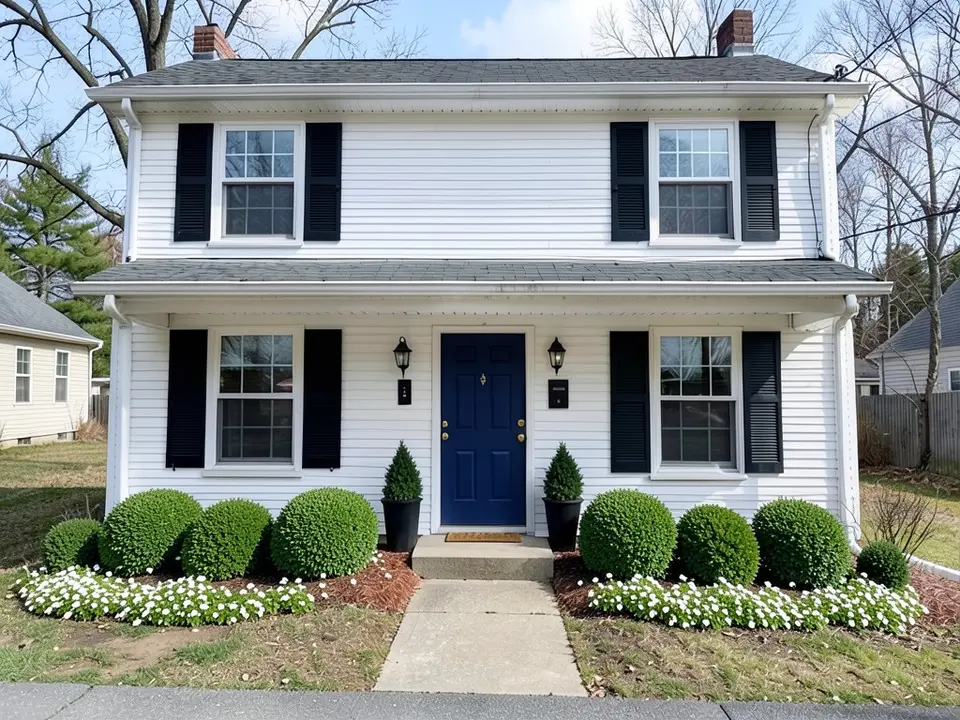 After
AfterHow to preview an updated exterior
- Take a straight-on photo of the front in daylight, with the whole house in the frame and as few cars or branches in the way as possible.
- Open the exterior designer and upload it. Choose the building type that fits best: house, bungalow, cottage, townhouse or villa.
- Pick a style. For a dated house, Modern and Contemporary usually give darker trim and cleaner lines; Rustic leans on wood and stone.
- Sign in and render. New accounts get 2 free renders in most countries. The result appears next to your photo so you can compare.
- Refine with words. The Edit button (the pencil above the result) lets you ask for a change such as "make the garage door wood tone" or "paint the trim white". Edits use credits like a render.
First, find what makes your house look dated
Usually a few details give away the decade, and fixing those does most of the work. Look at your photo and check for these:
- Color schemes from another era: tan or almond siding with brown trim, faded pastel siding, or bright white trim against everything.
- Small details that add up: brass porch lights and door handles, tiny house numbers, a builder-grade front door, and gutters that stand out against the wall.
- A blank garage door that takes up a big share of the front and draws the eye first.
- Overgrown shrubs that hide windows, or bare beds with nothing in them.
- Worn materials: chalky siding, peeling paint, rotten trim. They need fixing anyway, so it is a good moment to change the look.
Also decide what stays. Good brick, a sound roof or nice windows are expensive to replace. A good update works with them, like the second example above, which keeps the brick and changes only the siding and trim.
Exterior updates, from small to big
Small updates you can do in a weekend
- Paint the front door. It is the easiest focal point to change. Navy, black, deep green and warm wood tones suit most houses.
- Swap the hardware and lights. A new handle set, matching wall lanterns and larger, clearly readable house numbers in one finish (black is the safe choice) make the entry look intentional.
- Paint or remove shutters. Painting faded shutters black or a dark color is a quick change. Shutters that are too narrow for their windows often look better removed.
- Clean up the planting. Cut back what covers the windows, edge the beds, add fresh mulch and use a few repeated shrubs instead of many different plants. Two planters at the door help too.
The third example above is this kind of update: same siding, new door color, shutters, lights and plants.
Medium projects
- Repaint the whole exterior. For a more current look, many people choose either light walls with dark trim and windows, or dark walls with matching or black trim. Flat and low-sheen finishes read as more modern than gloss. Test large samples on the wall and look at them in morning and evening light.
- Replace the garage door. A door with windows, a wood look or a darker color can change the whole front, because the garage is often the biggest single surface you see.
- Change gutters and fascia color so they disappear into the trim, or contrast on purpose.
Big projects
- New siding. Swapping worn or dated siding for fiber cement, vinyl or engineered wood in a new profile changes the character of the house. Our siding visualizer guide compares the main types.
- Windows. Darker frames and simpler grids look more current, and new windows can also help with drafts. This is costly, so it is usually done when windows need replacing anyway.
- Roof. If the roof is near the end of its life, choose its color together with the new wall and trim colors, not separately.
Ideas by house type
1970s and 1980s two-story houses
These often have brown or tan trim and shingle or panel siding. Black or dark bronze trim, gutters and window frames with white, gray or greige walls make the biggest difference. One warm material, such as wood-look panels near the entry, keeps it from looking cold, as in the first example.
Split-level and brick-and-siding houses
Keep the brick if it is in good shape, and pick a siding color that works with it. Charcoal, black, deep green and warm whites all suit red brick. Board and batten on the upper part adds height and a more current look.
Colonials and traditional houses
These rarely need a modern makeover. A fresher color scheme, a strong front door color, better lights and tidier planting are often enough, and they keep the classic look buyers expect.
Ranch house owners can find more ideas in our ranch house exterior makeover guide.
Mistakes to avoid
- Too many colors. Use one for the walls, one for trim and one accent, usually the front door.
- Fighting the house. A traditional house dressed up as a modern box often looks odd. Update it within its style.
- Skipping the rules. Check HOA guidelines and local permit rules before bigger changes such as siding, windows or a new porch.
Who this is for
Homeowners deciding what to change first, sellers preparing a house, and contractors who want to show a client a direction. A render helps agree on a look; it does not replace samples or a contractor's advice.
You can also read the siding colors, the front door colors and the home exterior visualizer pages.
Frequently asked questions
Is it free to see an updated exterior of my house?
Signing up is free and gives you 5 credits, which is enough for 2 renders in most countries. Free renders carry an AiExterior watermark. If you want more renders or clean images, paid plans are on the pricing page.
Do I need an account?
Yes. You sign in before a render starts, with an email code or your Google account. That is how the free credits are attached to you.
Can I change just one thing, like the front door or the shutters?
Not from your original photo. The first render redesigns the whole outside in the style you pick. After that you can click Edit (the pencil above the result) and describe a change in words, such as "make the front door navy blue". Each edit uses credits like a render, and the AI can still change other details, so check the whole image.
Which styles can I choose?
Modern, Minimalist, Rustic, Contemporary, Mediterranean and Scandinavian. There is no menu for specific products or brands; render a few styles to compare directions.
Will the AI keep the shape of my house?
It aims to keep the overall shape, roofline and window positions, but it can move or restyle details such as doors, trim, the garage door and plants. Treat each render as a concept to discuss, not a drawing to build from.
Does it tell me what the update will cost?
No. It shows how a look could appear on your house. It does not measure the house or price materials. For cost, get quotes from local contractors and bring the render to show them what you mean.
Can I use the renders when I sell my house?
You can use them to plan updates before listing. If you put an AI render in a listing, label it clearly as a virtual concept and follow your local listing rules, because buyers expect photos to show the house as it is.
Try it on your own house
Upload your house photoFree sign-up with email or Google. You get 2 free renders in most countries; free renders are watermarked.