Home Exterior Design App: Try New Colors on Your House From Your Phone
Free sign-up with email or Google. Free renders are watermarked. Paid plans on the pricing page remove the watermark.
Most people looking for a home exterior design app want to take a photo of their house and see it in new colors. AiExterior is a website, not an app from the App Store or Google Play. Open it in the browser on your phone or computer, upload a photo of your house below, and see the result.
Exterior paint visualizerBefore and after examples
Example images are AI-generated: both the sample houses and their redesigns. Results change from render to render, so treat them as concepts, not exact product matches.
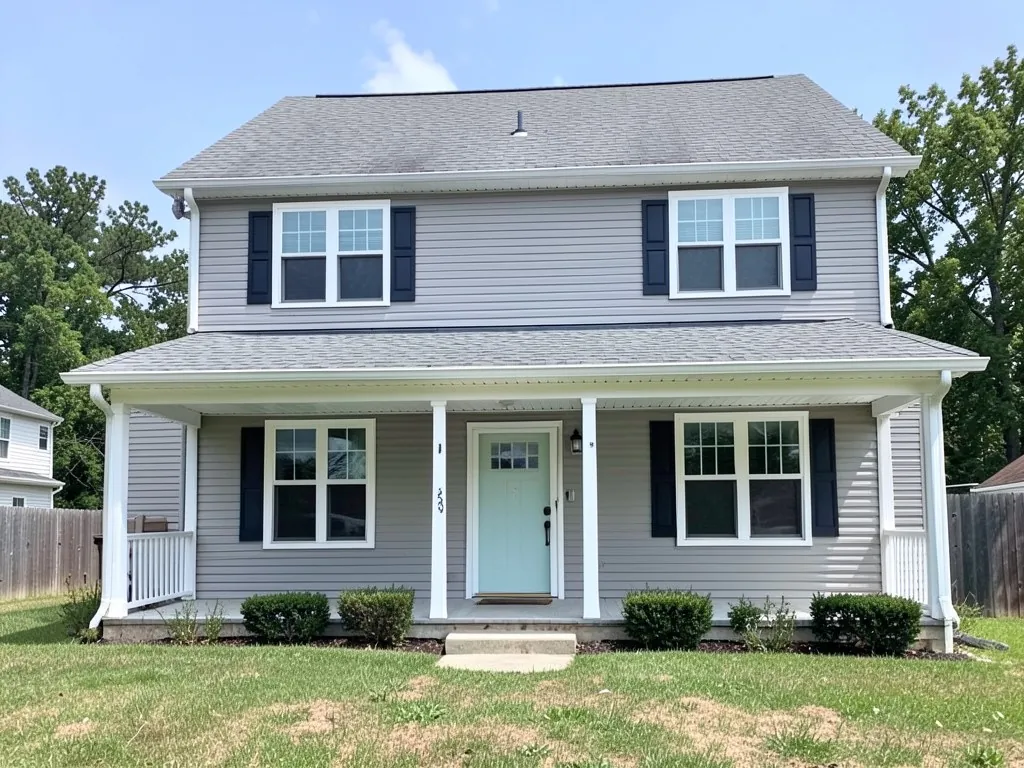 Before
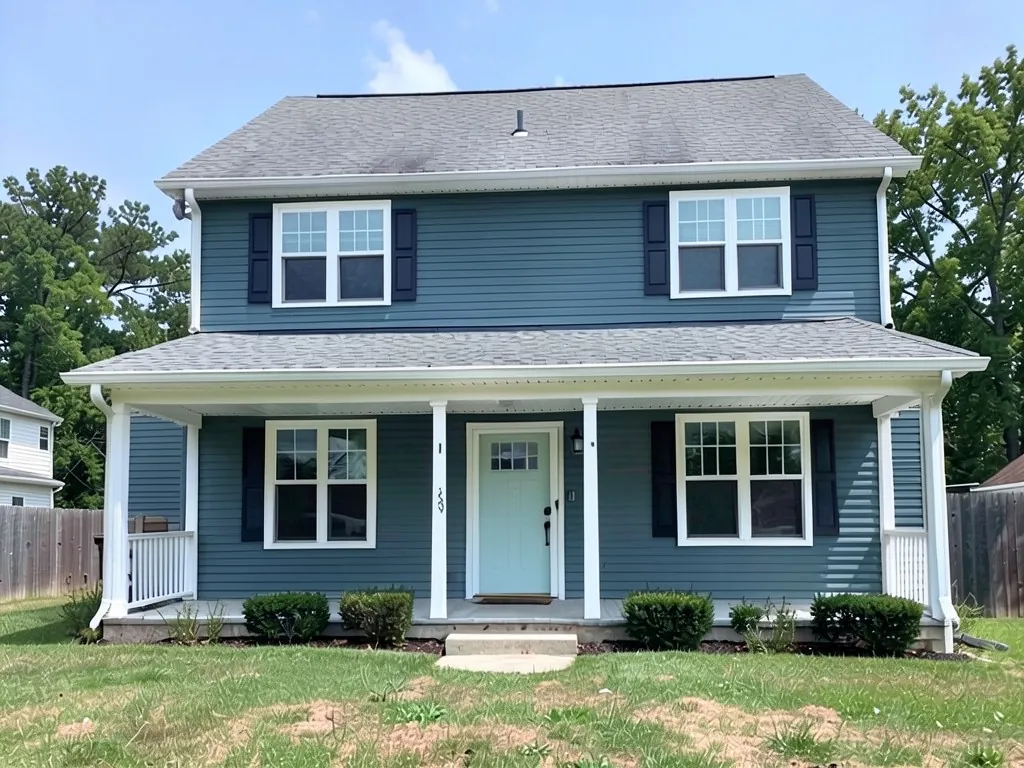 After
After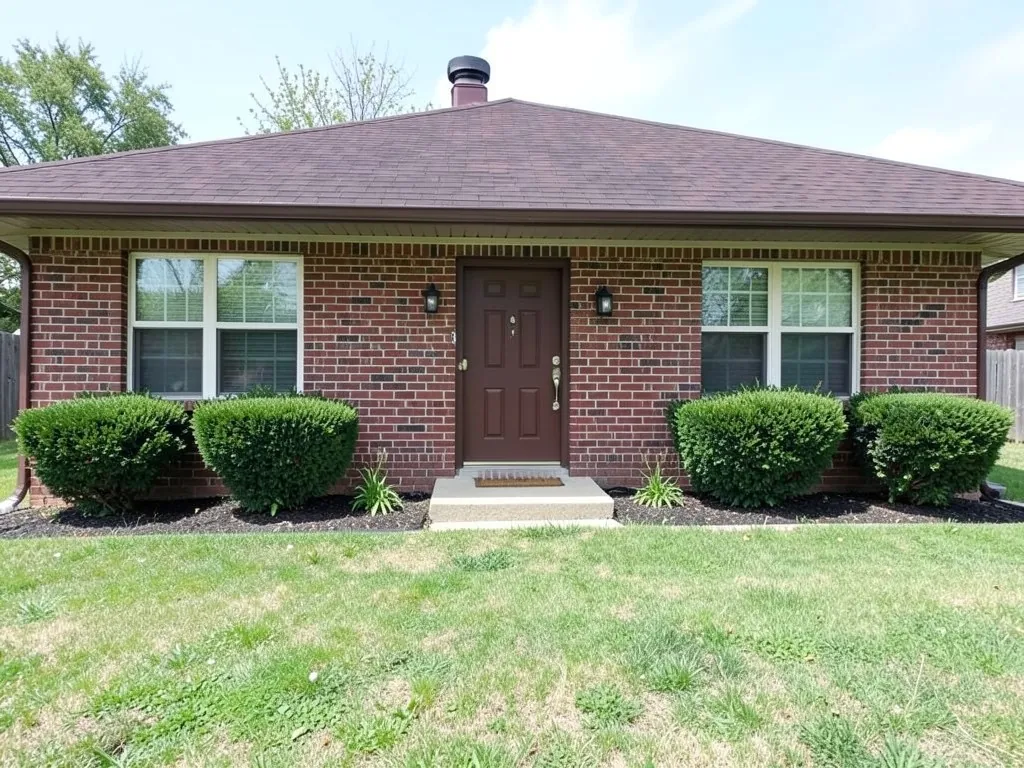 Before
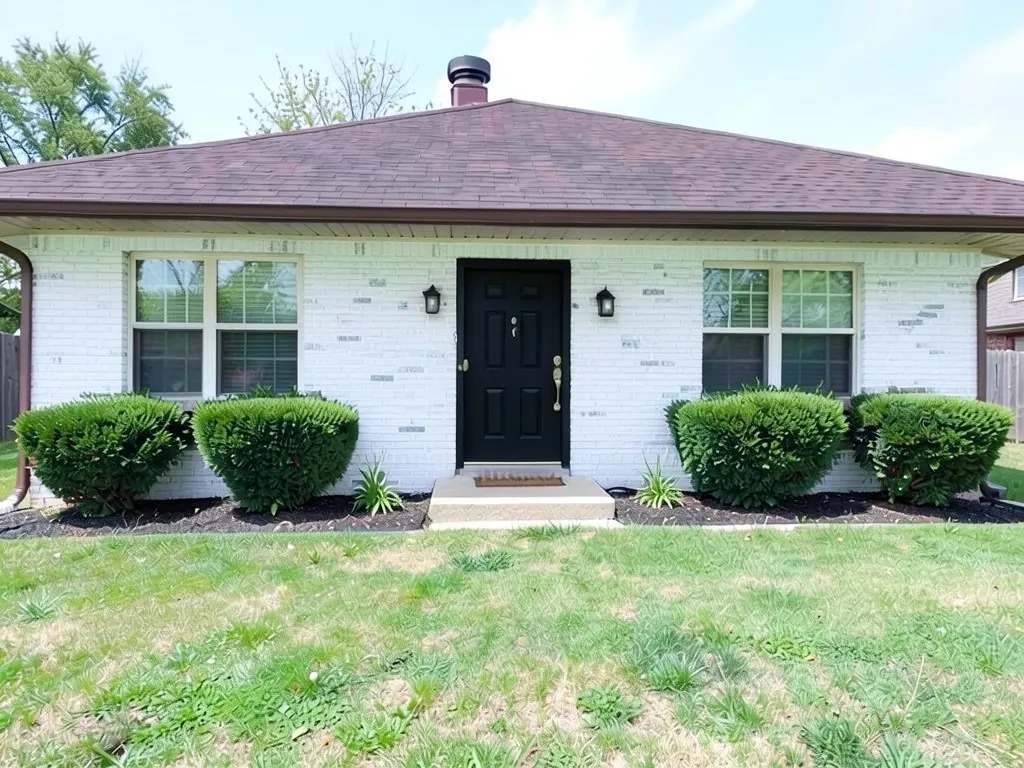 After
AfterWhat the AI can and cannot do
It can work in a phone browser: take a photo of your house, upload it and name the colors and the parts to change. You see a picture of the idea, with the roof and windows kept when you name them.
It cannot replace an app you install, measure your house, or give a materials list or a quote. It is also not a paint match: a result is a picture of an idea, not a color chip.
What the apps and tools in the search results are
This is our own summary of the kinds of tools the search results for this keyword show, from their own listings and pages. We have not tested them, so check each one yourself.
| Type | Summary |
|---|---|
| AI redesign apps | App Store listings let you upload a house photo, pick a style and get a generated concept. Several are free to download with in-app purchases. |
| Photo-based 3D tools | Hover works from smartphone photos and builds a 3D model that helps with cost estimates, and its listing is aimed at contractors and serious projects. |
| Manufacturer visualizers | The Provia Visualiser is a free tool from a door maker. A review notes that it needs good photos. |
| This page | A website tool: no download, works in the browser on a phone or a computer, free to try with a watermark. |
Why a browser tool and not an app
There is nothing to install and nothing to update. You open the page, upload a photo from your phone and get the result on the same screen. If you want a phone shortcut, add the page to your home screen from your browser menu.
Two color ideas to try
The examples were run directly on an image model, not through the tool above, so your results will look different.
- Gray siding to slate blue. Example 1 changes only the siding and keeps the white trim and the porch.
- White brick and a black door. Example 2 paints the brick white and the door black. The brick came out patchy.
How to try it on your house
- Photograph the front in daylight, straight on, from far enough back that the whole front, the roof and the gate or driveway fit in the frame.
- Upload it in the tool at the top of this page, or open the exterior designer, and name what you want changed and the parts it goes on.
- Say what stays. List the parts you are keeping, such as the roof, the windows and the camera angle, as the prompts below do.
- Check the whole image. Look at the door, the trim and the edges of the roof, since the model sometimes changes a part you did not name, and run it again if something is off.
The exact prompts behind the examples
These are the edit prompts used for the examples, word for word. The examples were run directly on an image model, not through the tool above, so your results will look different. Change the colors and the list of what stays to suit your house.
Prompt 1: gray siding to slate blue
Repaint ONLY the siding a muted slate blue. Keep the white trim and the porch. Keep everything else unchanged: the roof, every window position, the sky and the camera angle.
Prompt 2: brick painted white with a black door
Paint the brick white and paint the front door black. Keep everything else unchanged: the roof, every window position, the sky and the camera angle.
Who this is for
Owners who want a quick look at new colors from their phone before they paint, and anyone comparing home exterior design apps who prefers not to install one.
More exterior ideas
See the exterior paint visualizer, exterior paint color combinations, front door colors, curb appeal ideas, and house facade design.
Frequently asked questions
Is there an AiExterior app on the App Store or Google Play?
No. AiExterior is a website. Open it in the browser on your phone, upload a photo and see the result on the same page.
Do I need to download anything?
No. Nothing needs to be installed.
Does it work on a phone?
Yes. Use a photo from your phone camera, taken straight on in daylight so the whole house fits in the frame.
Can it give me a quote or a 3D model?
No. It shows a picture of an idea. For measurements and cost estimates, you need a contractor or a tool that builds a measured model.
Is this tool free to try?
Signing up is free. Free renders carry an AiExterior watermark, and paid plans on the pricing page remove it.
Try it on your own house
Upload your house photoFree sign-up with email or Google. Free renders are watermarked. Paid plans on the pricing page remove the watermark.