Exterior Remodel Ideas: See a Makeover on Your House Before You Build
Free sign-up with email or Google. Free renders are watermarked. Paid plans on the pricing page remove the watermark.
An exterior remodel is a big spend, and a before and after photo helps you decide what is worth paying for. Upload a photo of your house below to see siding, window and door changes on it, then see what remodel guides say and two before and after examples.
Curb appeal ideasBefore and after examples
Example images are AI-generated: both the sample houses and their redesigns. Results change from render to render, so treat them as concepts, not exact product matches.
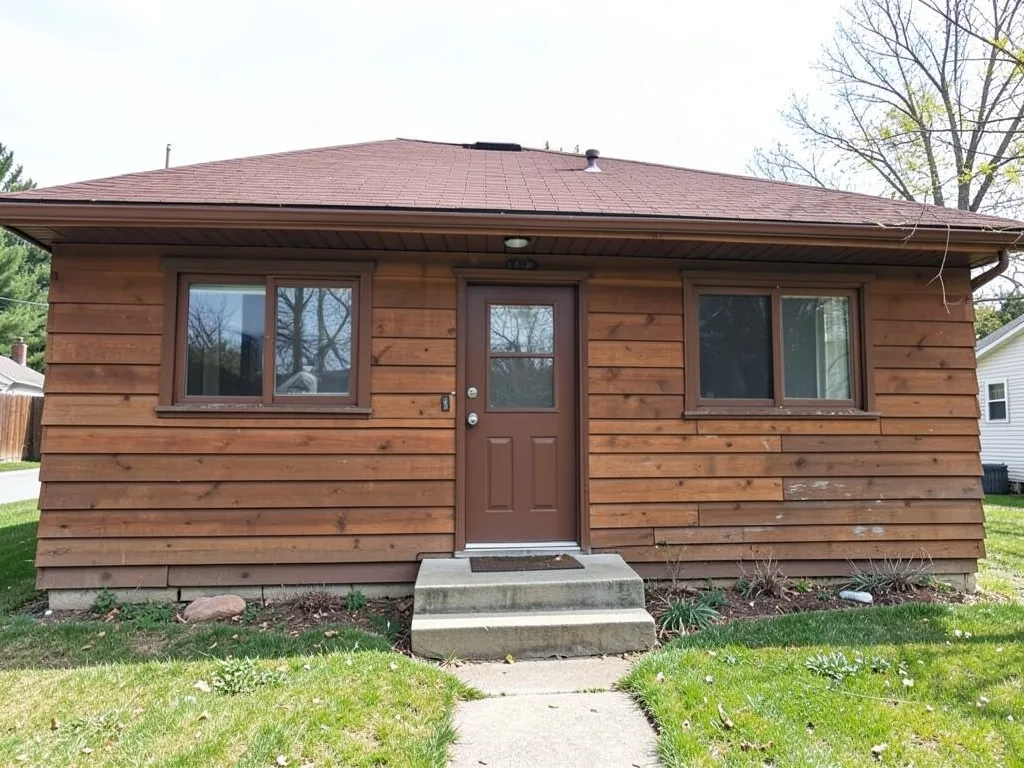 Before
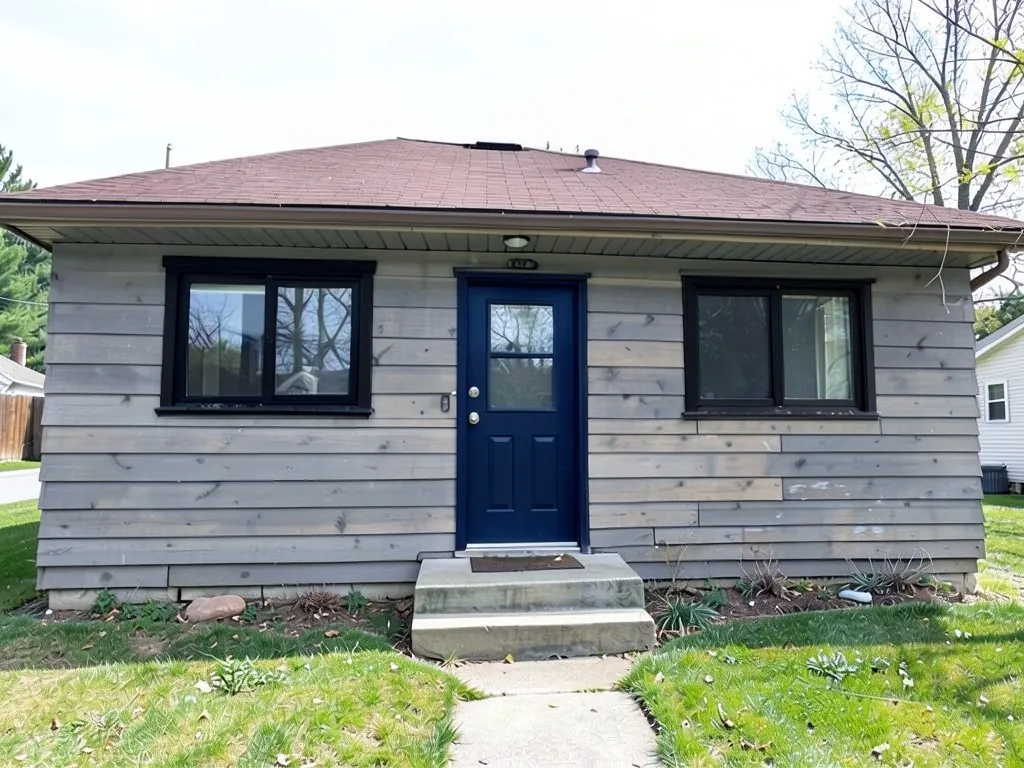 After
After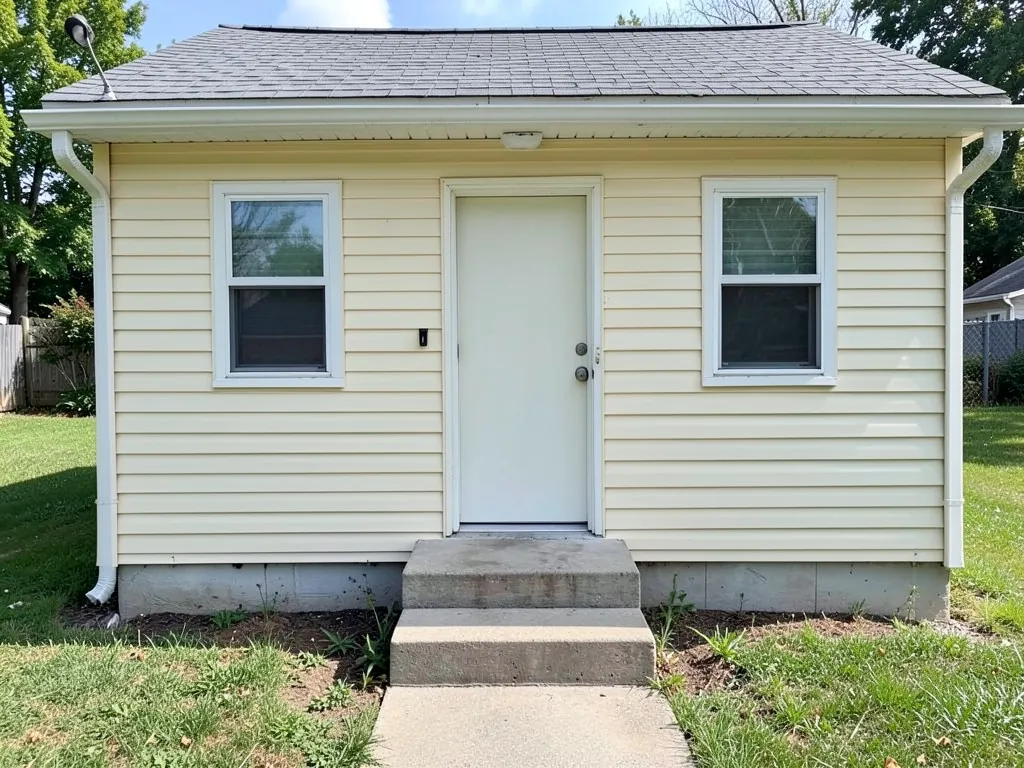 Before
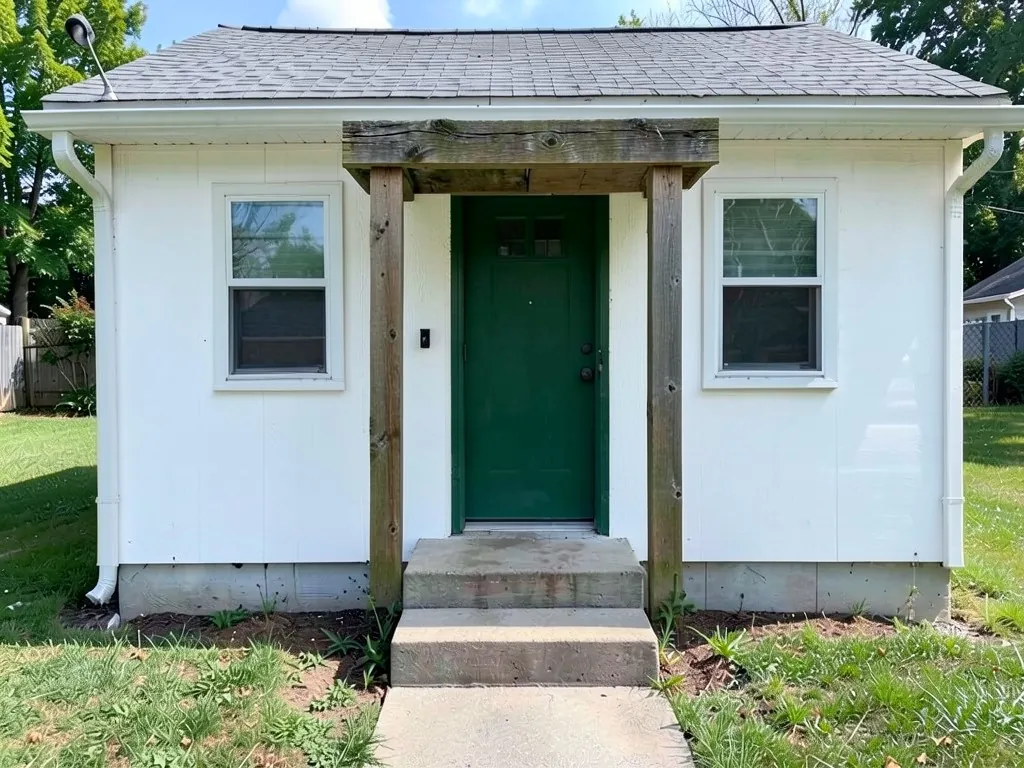 After
AfterWhat the AI can and cannot do
It can show a siding color, window frame color, door color or an added porch frame on your photo, so you can compare a few remodel directions before you collect quotes.
It cannot tell you what a remodel costs, what is structurally possible, or what your local rules allow. Adding a roofed porch or changing a roofline needs a designer or a contractor.
What remodel guides and makeover stories say
These points come from exterior makeover pages by Remodel AI, Brick & Batten, Houzz and Case Design. They are company guides and project stories, so the table is our own summary and the ideas are opinions, not rules. Some before and after images on these sites are digital renderings, not finished photos.
| Idea | Summary |
|---|---|
| Cheap, high impact | Remodel AI's guide lists house numbers and a mailbox at the low end, and a new front door, a garage door and exterior paint as the upgrades with the best return. |
| Beyond paint | Brick & Batten's makeovers add updated siding, bold paint changes, lighting, custom doors, garage doors, shutters and landscaping. |
| Keep the style | One St. Louis ranch kept its look and got new roofing, siding and windows plus new paint colors. |
| Modern redesigns | A Houzz makeover swapped vinyl siding for fiber cement panels and added a new roofline; a hillside home used charcoal paint, wood accents and a cable railing. |
| Additions | Case Design added columns, bigger windows, a gabled porch or a second story on plain houses. |
Where to start
Start with what you can change cheaply on a picture: the siding color, the window frames and the door. If those look right, the bigger items such as new siding material or a porch roof are worth pricing. Siding ideas are on the vertical siding and board and batten pages.
Two remodel ideas to try
The examples were run directly on an image model, not through the tool above, so your results will look different.
- Dark windows and a navy door. Example 1 changes brown siding to gray and adds black window frames and a navy door.
- A white cottage with a frame over the door. Example 2 whitens the siding, adds a timber frame over the door and paints the door green.
How to try it on your house
- Photograph the front in daylight, straight on, from far enough back that the whole front, the roof and the gate or driveway fit in the frame.
- Upload it in the tool at the top of this page, or open the exterior designer, and name what you want changed and the parts it goes on.
- Say what stays. List the parts you are keeping, such as the roof, the windows and the camera angle, as the prompts below do.
- Check the whole image. Look at the door, the trim and the edges of the roof, since the model sometimes changes a part you did not name, and run it again if something is off.
The exact prompts behind the examples
These are the edit prompts used for the examples, word for word. The examples were run directly on an image model, not through the tool above, so your results will look different. Change the colors and the list of what stays to suit your house.
Prompt 1: brown wood siding to gray with black windows and a navy door
Replace the brown siding with gray horizontal siding, change the window frames to black and the front door to dark navy blue. Keep everything else unchanged: the roof, every window position, the sky and the camera angle.
Prompt 2: white siding, a post-and-beam porch frame and a green door
Turn the siding into white board and batten, add a small covered porch roof over the stoop with two square wood posts, and paint the door deep green. Keep the camera angle and the sky.
Who this is for
Owners with a dated house who want to compare a few makeover directions on their own photo before they ask for quotes.
More exterior ideas
See curb appeal ideas, house facade design, james hardie siding colors, white house with black trim, and the exterior paint visualizer.
Frequently asked questions
What is the cheapest exterior remodel idea?
Remodel AI's guide puts house numbers and a mailbox at the low end, and the guides we read name a new door and fresh paint as high-impact, lower-cost changes.
Can the AI show new siding on my house?
It can show a siding color and a rough look on your photo. Example 1 changes the color, but the texture stayed rough, so use it as a color check, not a material sample.
Can it add a porch or change the roof?
It can draw an idea, like the post frame in Example 2, but it cannot say what is possible to build. Ask a designer or contractor.
Will it tell me what a remodel costs?
No. It shows pictures, not costs. Get quotes from contractors for the options you like.
Is this tool free to try?
Signing up is free. Free renders carry an AiExterior watermark, and paid plans on the pricing page remove it.
Try it on your own house
Upload your house photoFree sign-up with email or Google. Free renders are watermarked. Paid plans on the pricing page remove the watermark.