Hardie Siding Visualizer: Try a Color on Your House Photo
Want to see James Hardie-style fiber cement siding in a color on your own house? Upload a photo below, name the color and compare. This is a general AI image tool, not the maker's own visualizer.
Free sign-up with email or Google. You get 2 free renders in most countries; free renders are watermarked.
Before and after examples
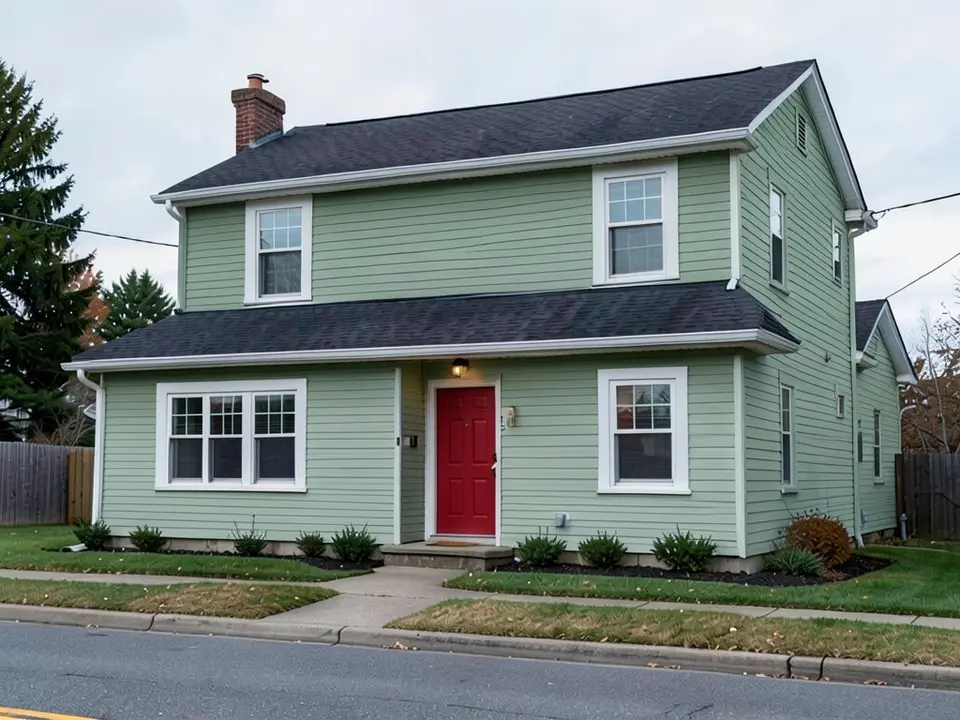
Example images are AI-generated: both the sample houses and their redesigns. Results change from render to render, so treat them as concepts, not exact product matches.
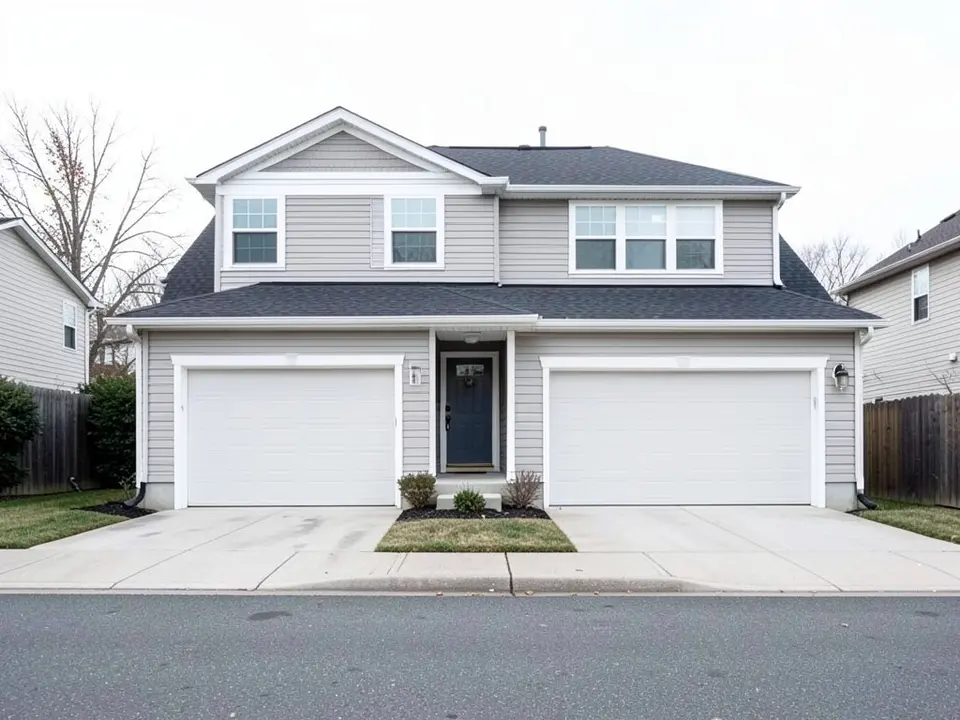 Before
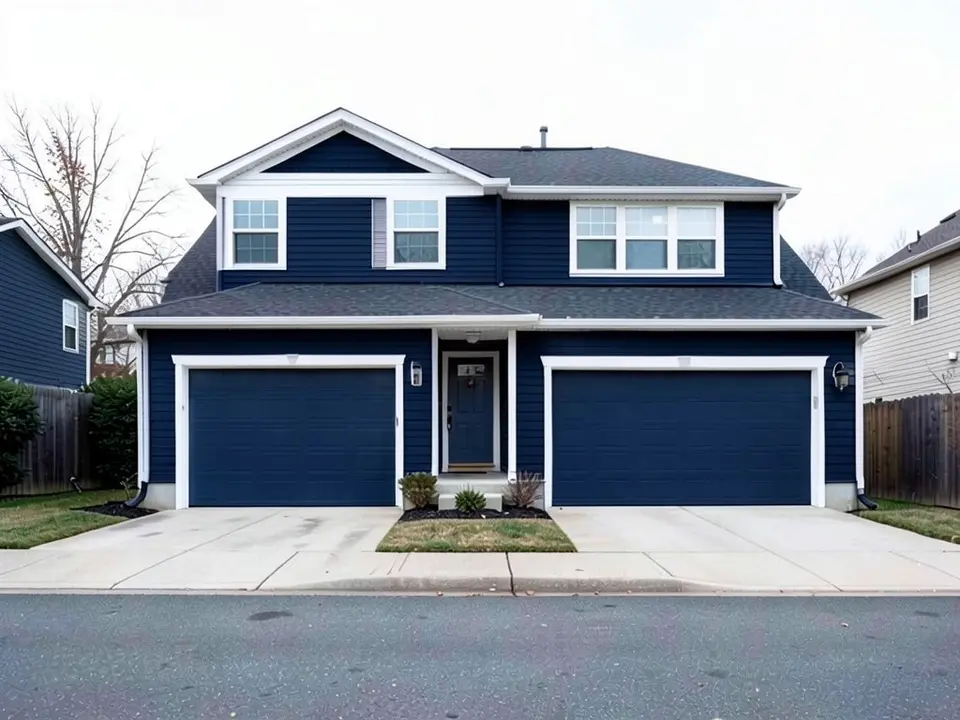 After
After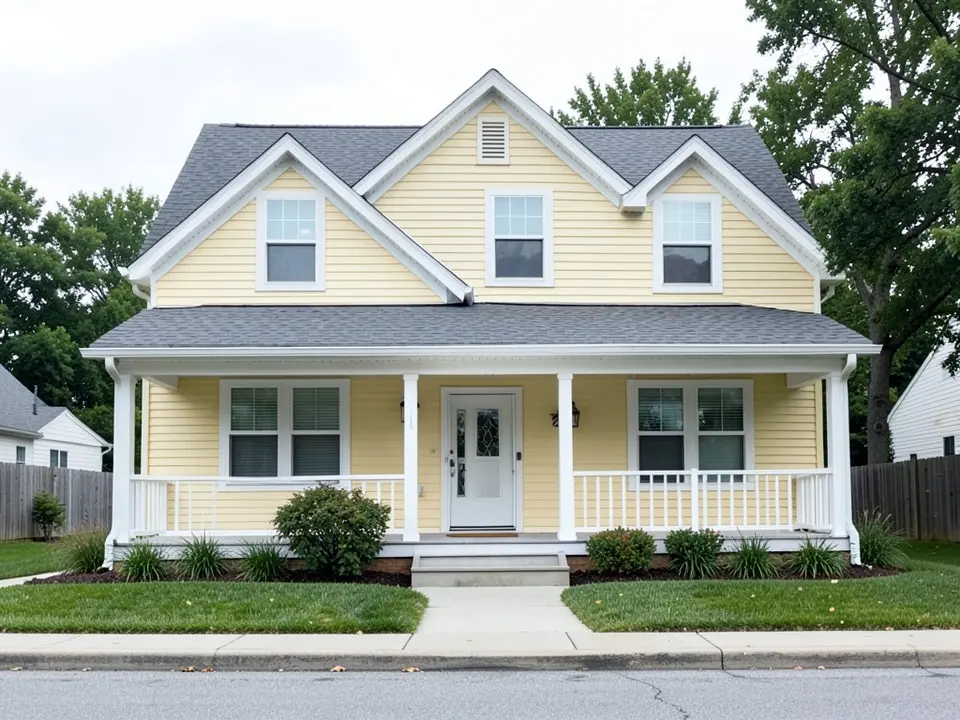 Before
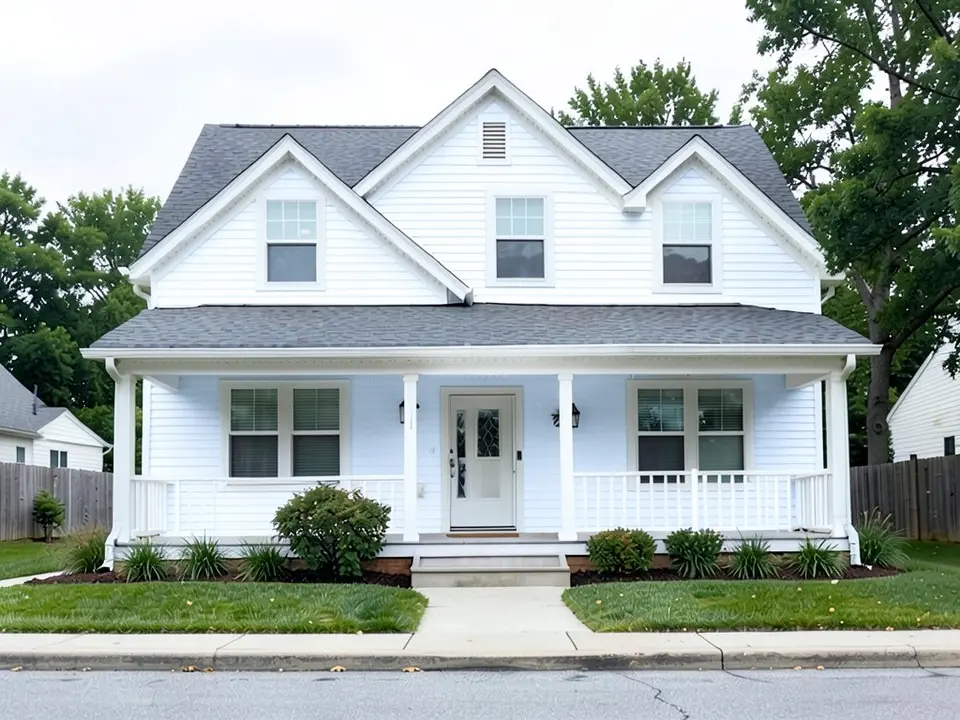 After
After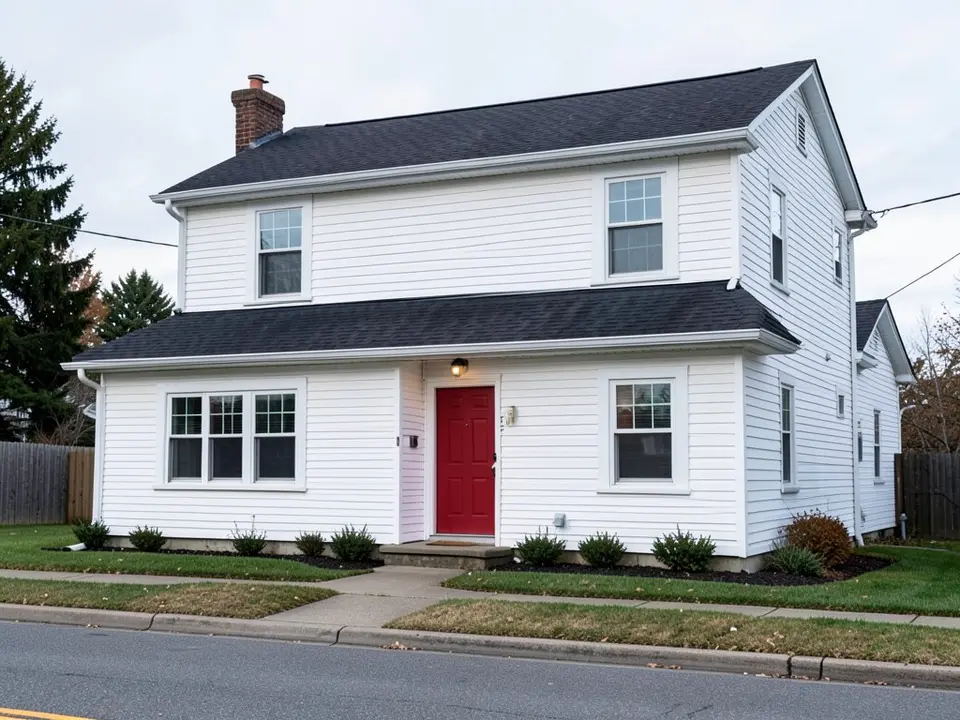 Before
 After
AfterWhat the AI can and cannot do
It can recolor the siding in your photo while usually keeping the shape of the house, so you can compare colors before you order samples.
It cannot use real Hardie products, match a ColorPlus color or tell you what is stocked in your area. In our examples the model drew its own idea of each color, and one navy request also colored the garage doors. Check the whole image and name what must stay the same.
AiExterior is not affiliated with James Hardie; brand names only describe the products.
How this compares with other visualizers
The points below come from James Hardie (the maker; its press release and product pages), Hover (a visualizer company) and the pages of other visualizers. James Hardie and Hover sell or promote the product. Sources were read on 24 October 2026. Some of them sell siding or lead homeowners to local pros, so treat the color advice as sales-adjacent.
| Question | What the sources say |
|---|---|
| The maker's tool | James Hardie launched Hardie Designer, powered by Hover, on 23 April 2025. You upload a home photo, pick presets or customize siding and trim, swap profiles and colors, and share the design (James Hardie, Hover). |
| Real products | Reports say its renders use real Hardie products matched to ColorPlus colors (secondary reports). Ours does not. |
| Other tools | Hover covers several siding brands. Alside and LP offer their own visualizers. Some AI tools say plainly that they do not match exact manufacturer colors. |
| What ours does | You upload a photo, name one color in your own words and get a render. There is no 3D scan and no product catalog. |
| What stays true | Whichever tool you use, a picture is not a sample. Order a real sample and look at it outdoors. |
Three colors to try
- Deep navy blue. Example 1 turns light gray siding navy. The garage doors turned navy too, which we did not ask for.
- Bright clean white. Example 2 turns pale yellow siding white, with a slight bluish tint.
- Muted sage green. Example 3 turns white siding sage on both floors and leaves the roof, trim and red door alone.
How to try a siding color on your house
The examples were run directly on an image model, not through the tool above, so your results will look different.
- Photograph the front in daylight, straight on, with the whole house in the frame.
- Upload it in the tool at the top of this page, or open the exterior designer, and choose a style.
- Name the color and what must stay the same, like the prompts below.
- Compare two or three colors and note which parts moved.
The exact prompts behind the examples
These are the edit prompts used for the three examples, word for word. Swap in the color and the list of what stays.
Prompt 1: deep navy blue
Change ONLY the color of all the siding: repaint it a deep navy blue. Keep the white trim, the dark roof, the garage doors, the driveway and the lawn exactly the same, and keep the camera angle.
Prompt 2: bright clean white
Change ONLY the color of all the siding: repaint it a bright clean white. Keep the white trim, the gray roof, the porch, the front door and the lawn exactly the same, and keep the camera angle.
Prompt 3: muted sage green
Change ONLY the color of all the siding: repaint it a muted sage green. Keep the white trim, the dark roof, the red front door, the driveway and the lawn exactly the same, and keep the camera angle.
Before you order siding
- Use any visualizer as a first pass, then order real samples and look at them outdoors.
- Ask a local dealer which colors and profiles are sold near you.
- Check your HOA or town for color rules.
Who this is for
Homeowners comparing Hardie-style siding colors who want a quick, brand-neutral look on their own house before they use a maker tool or order samples.
More siding and color ideas
See also siding visualizer, James Hardie siding colors, fiber cement siding colors, siding colors and exterior trim colors.
Frequently asked questions
Is there an official Hardie siding visualizer?
Yes. James Hardie launched Hardie Designer, powered by Hover, in April 2025. This page is a separate, general AI tool and is not affiliated with James Hardie.
Does this tool use real Hardie colors?
No. It draws a color from your words, so it will not match a real ColorPlus color. Use it to narrow your choices, then order samples.
Do I need to scan my house or create a 3D model?
No. Upload one photo in the tool at the top of this page and name the color.
Can it show siding and trim together?
You can name both in the prompt, like "siding charcoal, trim white". Check the result, because trim and nearby parts sometimes change too.
Can I see a Hardie siding color on my own house first?
Yes. Upload a photo of your house in the tool at the top of this page and name the color to try. A render is a guide only; test real samples outdoors on all sides of the house.
Will the render match a real Hardie siding color?
No, not exactly. In our examples the model drew its own idea of each color. Use the render to narrow your choices, then compare real color samples.
Is this tool free?
Signing up is free and gives you 5 credits, which is enough for 2 renders in most countries. Free renders carry an AiExterior watermark. If you want more renders or clean images, paid plans are available on the pricing page.
Do I need an account?
Yes. You need to sign in before a render starts, with an email code or your Google account.
Try it on your own house
Upload your house photoFree sign-up with email or Google. You get 2 free renders in most countries; free renders are watermarked.